A transfer list, also known as a dual listbox, is a user interface component that allows users to move a selection of items from one list to another. It typically consists of two adjacent lists with controls to move items between them.
When to use
When to avoid
Specifications
Behavior
Selection
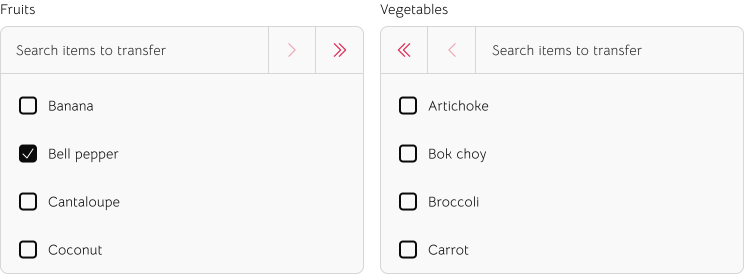
Users can select one or more items by clicking their checkboxes. The transfer controls act only upon the selected items.
Filtering
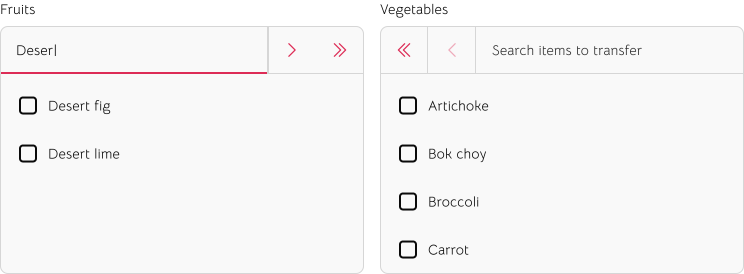
As a user types into a search field, the associated list filters in real-time. The search should apply to all items within that list, regardless of their group.
Bulk transfer
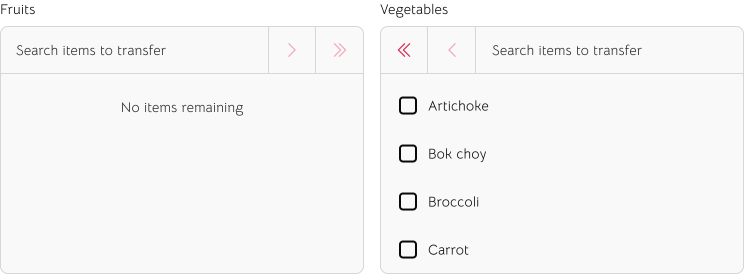
The "Move all" (>> or <<) buttons transfer every item from one list to the other, regardless of the current selection or search filter.
Anatomy
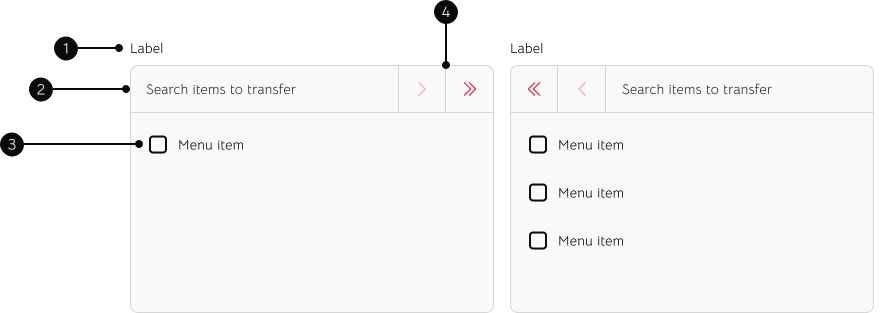
1
Label
Should indicate the content within the list containers.
2
Search field
Allows the ability to quickly filter for items within each list.
3
Menu
Contains list of items. Each list item includes a checkbox, allowing the ability to select one or more items to be transferred to the other list.
4
Controls
Used to transfer selected items — or all items at once — between the two lists.